【茶包射手日記】VSCode Github Copilot Agent 找不到 OpenSpec / Node.js
 |  | 0 |  |
開始在 AI Coding 應用 OpenSpec,有個小困擾是每次 Github Copilot Chat 視窗下達 /opsx-propose 等指令時,Agent 起手式會用 openspec CLI 查詢,但總會回報找不到 openspec 再冰雪聰明地現場下載,最近還是不辱使命達成任務。
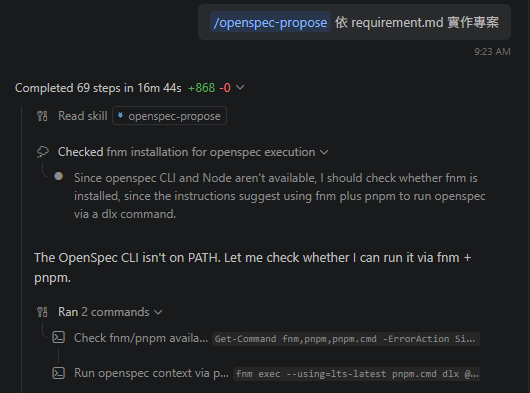
不過,這樣是 Token、時間與頻寬的三重浪費,開發機有裝 OpenSpec,手動開 PowerShell 下 openspec --version 沒問題,為什麼 Agent 找不到?
經過一番調查,學到一些 VSCode 與 PowerShell 環境整合的冷知識。平平是在 VSCode 使用 PowerShell,手動開啟終端跟由 Agent 開啟,環境是有差異的。
從 Agent 開啟的 PowerShell Extension 終端機執行 [Environment]::CommandLine,由 PowerShell 啟動參數可發現一些特別之處:
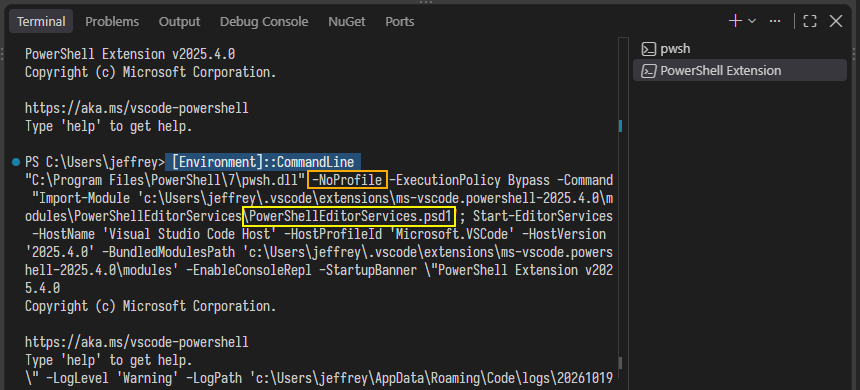
-NoProfile 指定不要載入使用者 Profile,而依據文件,VSCode 會載入 $PSHOME\Microsoft.VSCode_profile.ps1(全域適用) 及 $HOME\Documents\PowerShell\Microsoft.VSCode_profile.ps1 (使用者自訂) 二處的 Profile,這部分由 c:\Users\<user>\.vscode\extensions\ms-vscode.powershell-2025.4.0\modules\PowerShellEditorServices\PowerShellEditorServices.psd1 負責處理。
而這就是 Agent 找不到 Node.js 或 openspec 的原因,我用 fnm 管理 Node.js 版本,它會在使用者 Profile C:\Users\<user>\Documents\PowerShell\Microsoft.PowerShell_profile.ps1 加入 fnm env --use-on-cd --shell powershell | Out-String | Invoke-Expression 設定 PATH 及相關環境變數,VSCode 自己的 Profile 沒有這段,便無法啟用 fnm 找到 Node.js 及透過 npm 安裝的 OpenSpec。
解決方法可以建立一份 C:\Users\<user>\Documents\PowerShell\Microsoft.VSCode_profile.ps1,加入要給 AI Agent 用的相關設定。(包含 fnm env --use-on-cd --shell powershell ...) 或是將 fnm env... 設定搬到 $HOME\Documents\PowerShell\profile.ps1。

(還有另一種狀況,若 fnm 是用 winget 安裝,系統可透過 C:\Users\<user>\AppData\Local\WinGet\Links\fnm.exe 找到 fnm,此時 Microsoft.PowerShell_profile.ps1 不需要 fnm env... 但有呼叫 OpenSpecCompletion.ps1,依相同原則處理即可。)
調整後,Agent 開啟的 Terminal 就能順利找到 Node.exe 或 openspec 了。BUT! 問題並沒有完全解決...
在 Chat 視窗叫 Agent 執行 openspec list --json 還是會出現找不到 openspec:
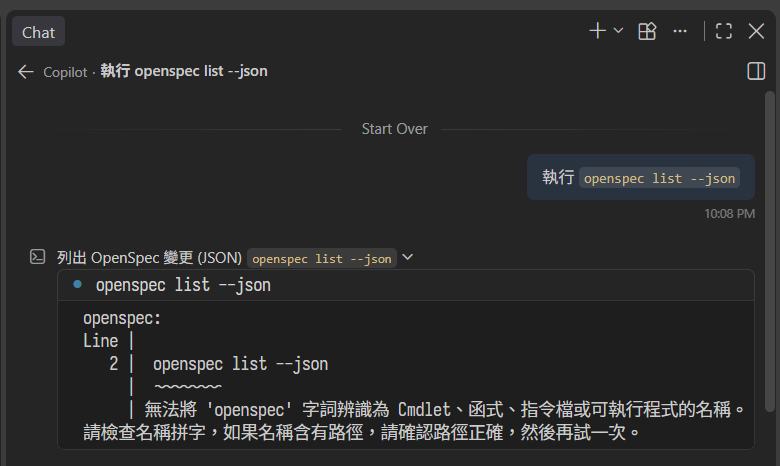
原因是 Agent 透過 run_in_terminal 之類的工具呼叫的 pwsh 會加 -NoProfile,卻不像 PowerShell Extension 終端執行 PowerShellEditorServices.psd1,因此不會載入 Microsoft.VSCode_profile.ps1。
評估了一下,只好再退到更底層,在 PATH 加上 fnm 預設存放 node.exe、openspec.cmd 的目錄:
# fnm's data dir: FNM_DIR if set, else %APPDATA%\fnm (run `fnm env` to confirm)
$fnmDir = if ($env:FNM_DIR) { $env:FNM_DIR } else { "$env:APPDATA\fnm" }
Test-Path "$fnmDir\aliases\default\node.exe"   # should be True
$userPath = [Environment]::GetEnvironmentVariable('Path', 'User')
[Environment]::SetEnvironmentVariable('Path', "$fnmDir\aliases\default;$userPath", 'User')

再試一次,這回總算能直接在 Agent 裡執行 openspec CLI 了。
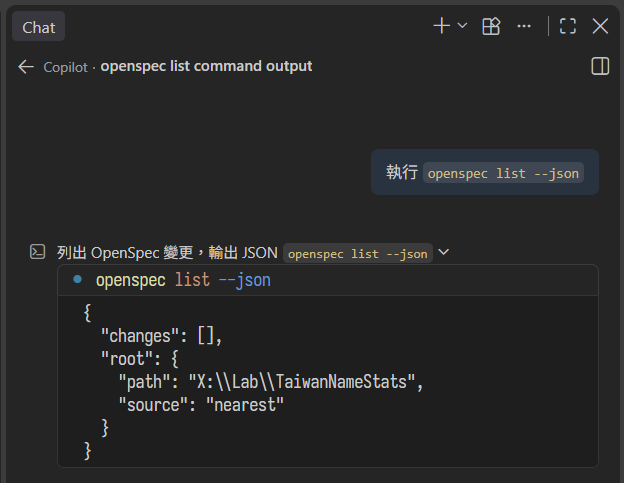
GitHub Copilot Agent in VS Code couldn’t find the openspec CLI because its PowerShell sessions run with -NoProfile, which skips the fnm setup. A VS Code profile fixes the extension terminal, but run_in_terminal still fails. Adding fnm’s default alias directory to the user PATH finally solves it.
Comments
Be the first to post a comment