要求 Github Copilot / Claude / Gemini 參考 MS Learn 官方文件寫 Code
 |  | 1 |  |
雖然現在大家爬文的起手式都已改用 AI,但查微軟相關技術文件,MS Learn (包含以前的 MDSN、微軟論壇、Technet 後來跟教學課程、訓練教材一起被整合成 MS Learn 網站)是最權威的資料來源,遇到微軟相關疑惑難決,或懷疑 AI 有幻覺,以 MS Learn 文件為準就對了。
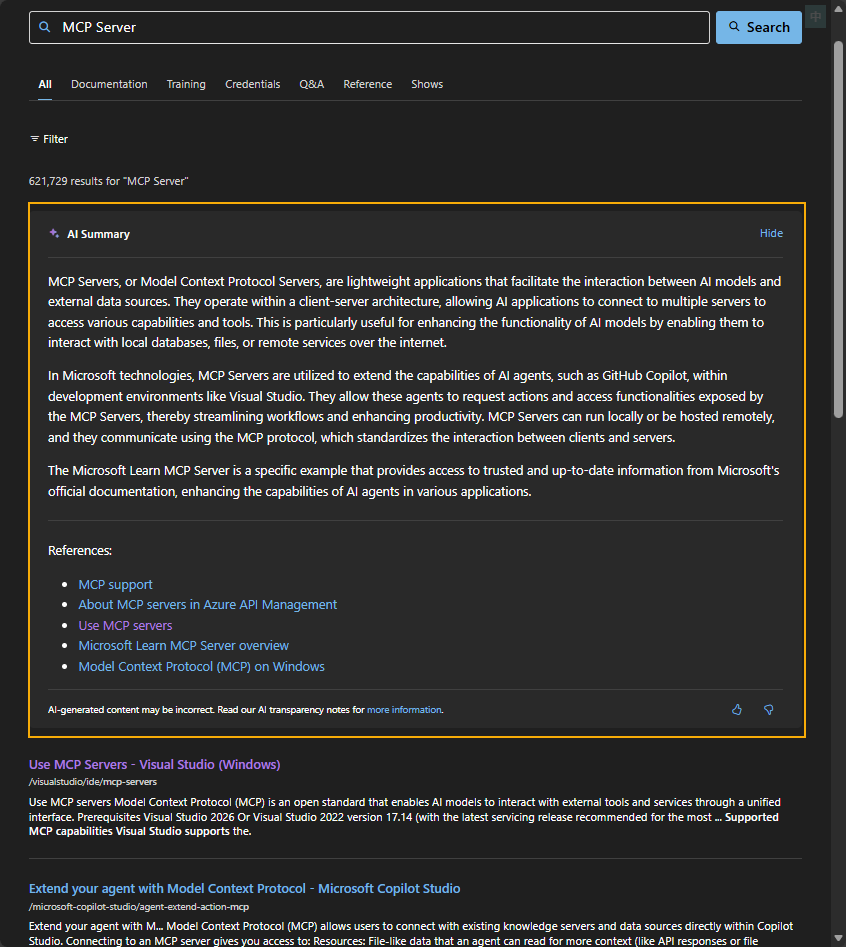
最近發現 MS Learn 也加入了 AI 功能,搜尋資料時會跟 Google 一樣多出 AI Summary:
在某些文件則會出現「Ask Learn」按鈕:範例網頁
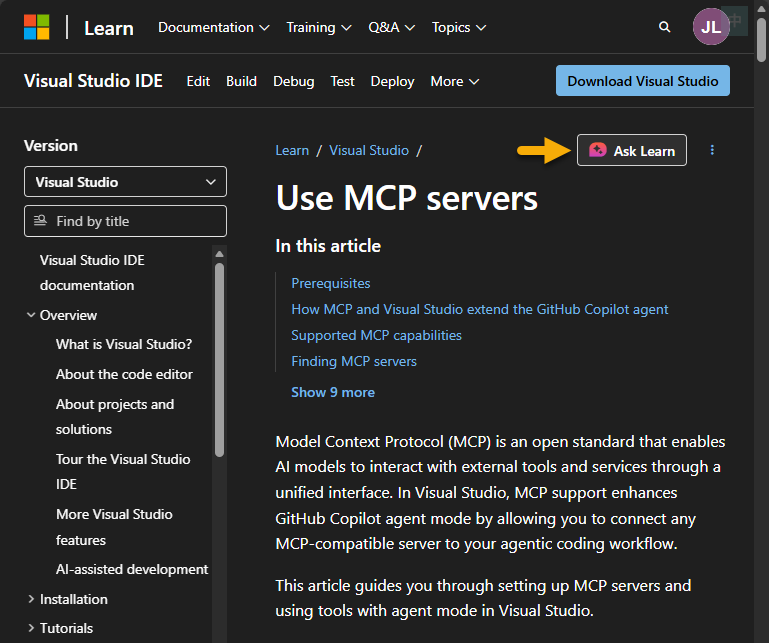
點下去右側會打開類似 Copilot 的對話介面,有用 Github Copilot 的同學應該都不陌生,靠本能就知道怎麼用:
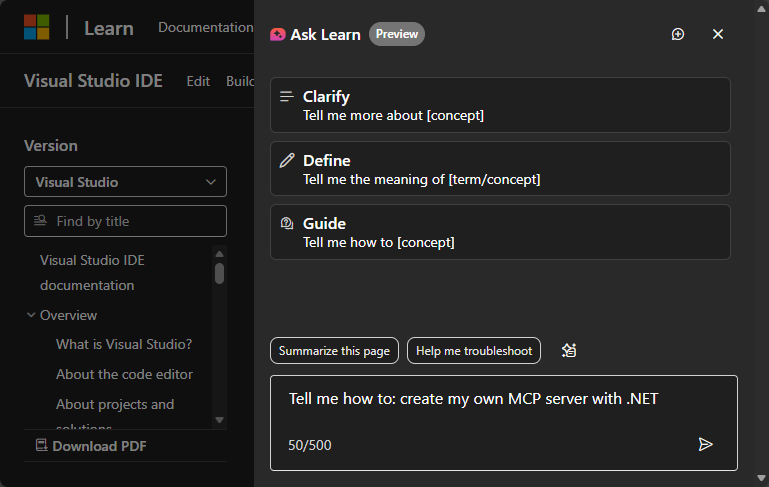
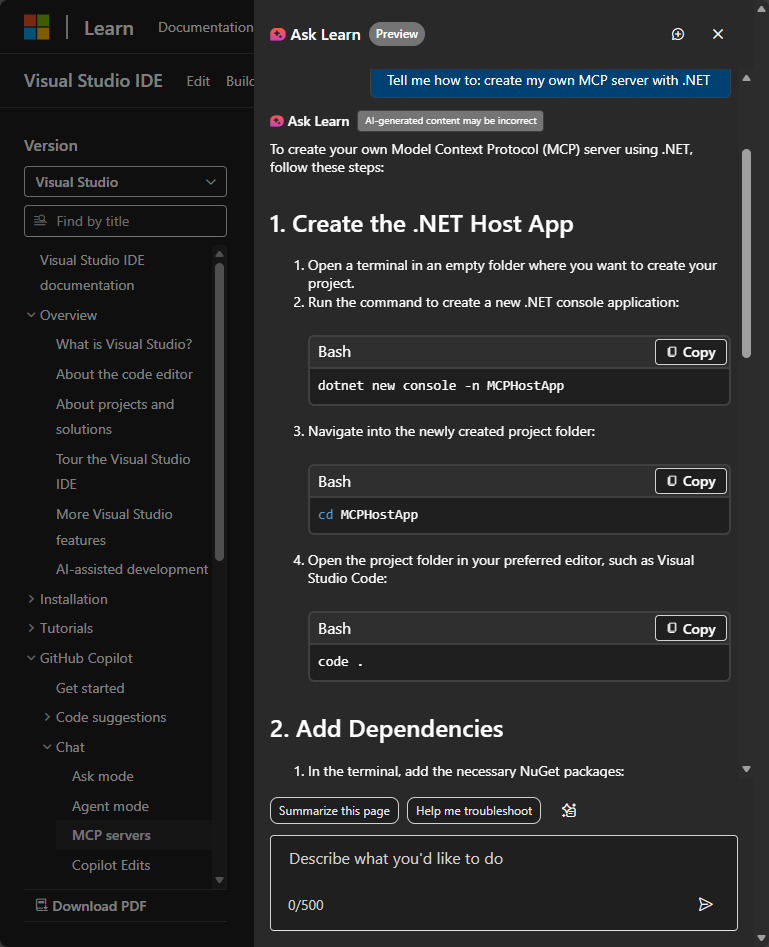
Ask Learn 與其他 AI 的最大區別在於它本質是以 MS Learn 內容為核心的 RAG,回答依據來自官方文件、教材、問答,引用錯誤文件、過舊版本的機率低一些。但只要是 LLM,就可能有幻覺,使用時仍需留意。
依據微軟 RD 的分享,Q&A Assistant 源自微軟內部黑客松,嘗試用生成式 AI 加速回答使用者問題速度,其核心不意外地就是走 RAG 架構:

Q&A Assistant 誕生後先與 Azure Portal Team 合作推出 MS Copilot for Azure (在 Azure Portal 網頁回答 Azure 相關問題的 AI 助理),之後再擴大為以整個 MS Learn 文件庫為基礎的 Ask Learn。
目前 Ask Learn 功能仍在預覽階段,只支援英文(切換成英文版才會出現,我之前寫過一個中英文快速切換鈕,需要同學可參考),必須登入才能使用。
每個 AI 工具都有其最佳場景,Ask Learn 最適合的情境應是:查到 MS Learn 文章,心中仍有疑惑或想再了解深一點,又或者想參考程式範例,而且希望得到最官方版本的回答,那麼 Ask Learn 是最好選擇。
不過,我覺得更實用的是這個:MS Learn MCP Server,它把 Ask Learn 轉成 MCP Server 形式,方便跟主流 LLM 搭配使用,讓微軟官方文件成為 AI 輔助開發的重要參考來源。
以下以 VSCode 為例,示範如何在 Github Copilot 加入 MS Learn MCP。
註:MS Learn MCP 官方文件有在 VSCode、VS、Claude Code、Gemini、Cursor、Codex、ChatGPT、Windsurf 安裝 MS Learn MCP Server 的說明。
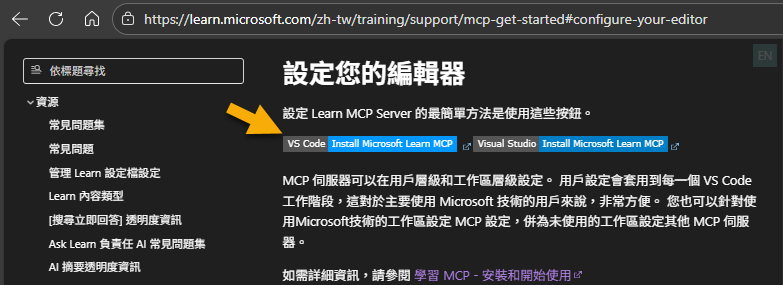
MS Learn 文件 有 VSCode 及 VS 的安裝連結。(或在 VSCode Extensions 輸入 @mcp learn)
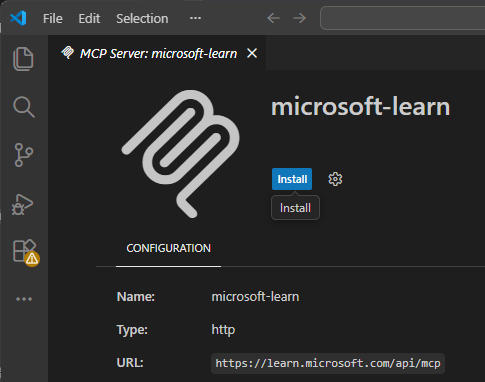
點 Install 即可完成安裝:
點 Agent 模式的設定圖示可在工具清單看到 MS Learn MCP:

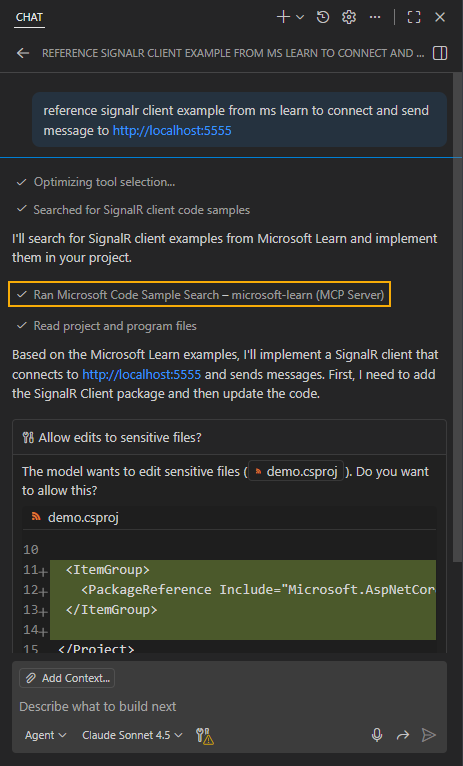
啟用後,Github Copilot 自己會看狀況調用 MS Learn MCP。如果想強制要求 Github Copilot 參考 MS Learn 官方文件寫 Code,有幾種做法,第一種是在 Prompt 以口語提示要參考 MS Learn 文件:
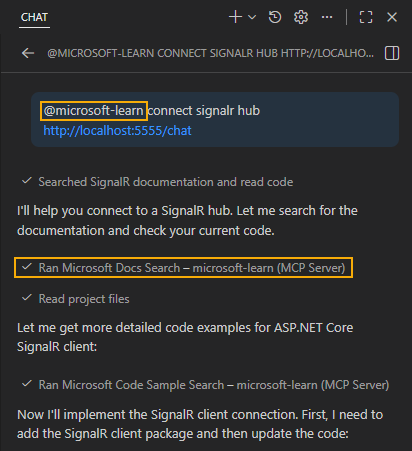
雖然 MS Learn MCP 沒實作參與者 API,但實測發現寫 @micorsoft-learn 也有不錯提示效果,比口語描述簡潔:(延伸閱讀:Github Copilot 聊天視窗指令整理)
註1:或更進一步明確提示 microsoft_docs_dearch microsoft_code_sample_search 等工具名稱搜尋文件庫或範例程式庫
註2:發現寫 @ms-learn 也行
第三種是官方文件推薦的做法,新增一個指示檔( instructions.md) 加入以下提示:
---
applyTo: '**'
---
## Querying Microsoft Documentation

You have access to MCP tools called `microsoft_docs_search`, `microsoft_docs_fetch`, and `microsoft_code_sample_search` -
these tools allow you to search through and fetch Microsoft's latest official documentation and code samples,
and that information might be more detailed or newer than what's in your training data set.

When handling questions around how to work with native Microsoft technologies, such as C#, F#, ASP.NET Core, PowerShell,
Microsoft.Extensions, NuGet, Entity Framework, the `dotnet` runtime -
please use these tools for research purposes when dealing with specific / narrowly defined questions that may occur.
如此,當 LLM 遇到 C#、ASP.NET Core, Powershell... 等主題(範圍可依需求自行調整)時,會優先使用 MS Learn 當參考資料,可減少幻想出不存在函數與 API 的機率。
依我自己實測結果,有些模型如 Claude Sonnet 不一定會依據指示優先查詢 MS Learn,因此視需要加上 @ms-learn 是兼具彈性、強制性、簡潔的可靠做法。
另外,若你是用 GitHub Copilot CLI、Claude Code、Cursor 或 OpenAI Codex,MS Learn MCP 有 Agent Skill,能更有效率整合 MS Learn MCP。(目前 VSCode Insider 也有支援,VSCode 末來才會加入)
[2026-01-10 補充] 發文後兩天,馬上在一個 Vibe Coding 實例靠 MS Learn MCP Server 解決問題,佐證從事微軟相關開發時善用 MS Learn MCP 可事半功倍。
Comments
# by yoyo
vscode v1.107 有支援Claude skills, v1.108 支援Agent Skills