ASP.NET 啟用 CSRF 防護時無法 F12 偵錯
 |  | 2 |  |
前陣子介紹在 ASP.NET Core MVC 啟用 CSRF 防護的做法,今天說說實務上啟用後可能遇到的問題。
用上回說的 AJAX 呼叫範例示範,假設我們發現 JavaScript 送出的表單資料似乎有點問題,想用瀏覽器 F12 工具調查一下,結果...
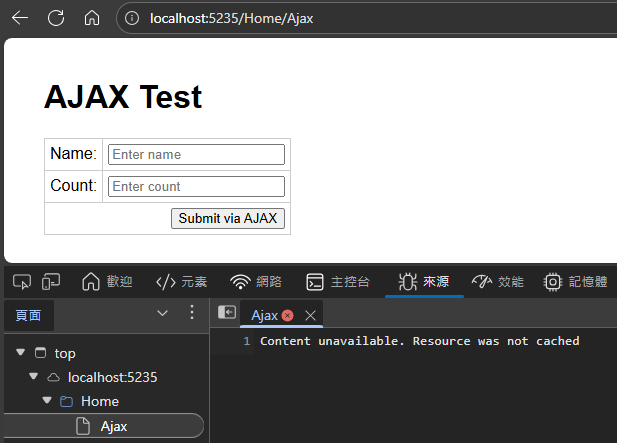
來源頁籤顯示 Content unavailable. Resource was not cached.,完全看不到 HTML 及 JavaScript,無從偵錯起。
原因是 ASP.NET Core 的 AntiForgery 機制啟用時,會自動在回應 Header 加上 Cache-Control: no-cache, no-store,禁止瀏覽器快取網頁內容:
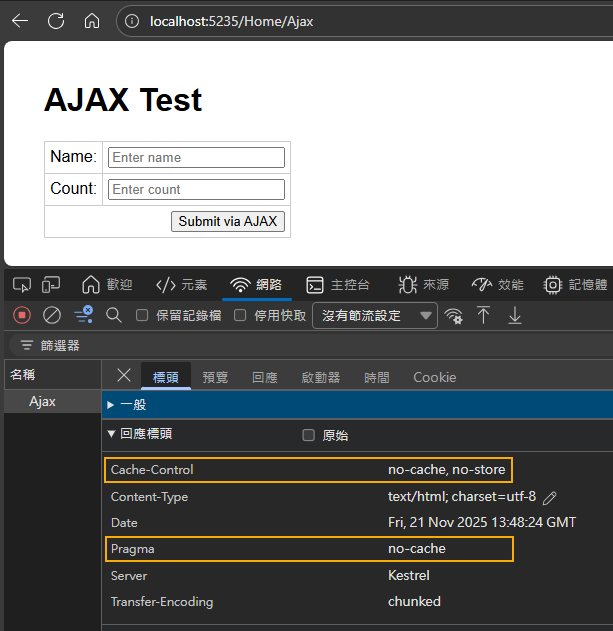
這個行為來自 IAntiforgery.GetAndStoreTokens(HttpContext),ASP.NET Core 將 Cookie 權杖儲存在回應的同時,會一併將 「Cache-control」 和 「Pragma」 標頭設定為 「no-cache」,並將 「X-Frame-Options」 標頭設定為 「SAMEORIGIN」(註:實測時未看到文件所說的 X-Frame-Options Header,網路上也有文章提到相同問題,推測是新版 ASP.NET Core 行為改變),降低防偽權杖被竊取的機率。
【2025-11-23 更新】
耍笨了,其實只要勾選網路頁籤「停用快取」就可解決囉。(感謝 Laneser 分享)

以下內容請全部忽略。
經過研究,有兩個解決方向:設法加入 MiddleWare 層取消 no-cache Header、允許在測試偵錯階段停用 AntiForgery,後者明顯簡單許多。我的解法是在 Program.cs 加入依據 builder.Configuration.GetValue<bool>("DisableAntiForgery") 決定是否停用 AntiForgery 檢查的邏輯:
using Microsoft.AspNetCore.Mvc;

var builder = WebApplication.CreateBuilder(args);
builder.Services.AddControllersWithViews(options =>
{
    if (!builder.Configuration.GetValue<bool>("DisableAntiForgery")) {
        options.Filters.Add(new AutoValidateAntiforgeryTokenAttribute());
    }
});
var app = builder.Build();
app.MapControllerRoute(
    name: "default",
    pattern: "{controller=Home}/{action=Index}/{id?}");

app.Run();
AJAX.cshtml 呼叫 @Html.AntiForgeryToken() 也會觸發寫入 no-cache,故 HomeController.cs 及 AJAX.cshtml 都要調整:
IConfiguration _config;
public HomeController(IConfiguration config)
{
    _config = config;
}

[HttpGet]
public IActionResult Ajax()
{
    ViewBag.DisableAntiForgery = _config.GetValue<bool>("DisableAntiForgery");
    return View();
}
@if (!(ViewBag.DisableAntiForgery ?? false)) {
    @Html.AntiForgeryToken()
}
如此,加上 --DisableAntiForgery=true 參數便可暫時停用 AntiFogery,順利 Debug 囉
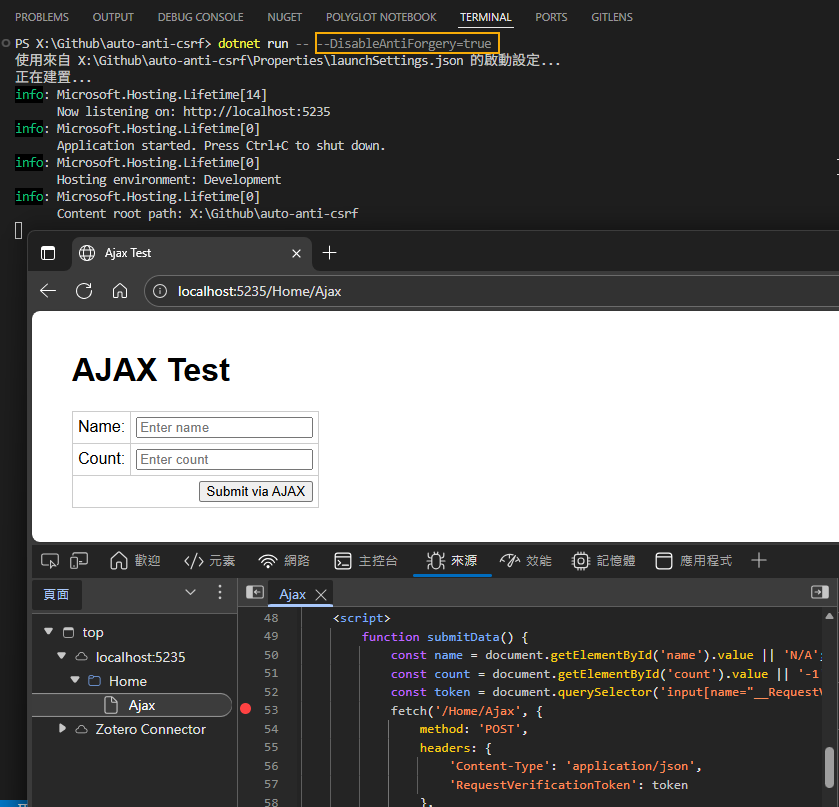
Discusses ASP.NET Core’s CSRF protection causing “no-cache” headers, blocking browser debugging; shows how to temporarily disable AntiForgery for development.
Comments
# by Laneser
我記得在 DevTools 的 Network (網路) 標籤中,勾選頂部的 Disable cache (停用快取) 選項。 應該就可以了,不然要怎麼 debug 別人的網頁呢?!(當然也可以透過 overwrite response 的 no cache...)
# by Jeffrey
to Laneser,真的耶,耍笨了,謝謝分享密技。